
Downloadable Offline AI Girlfriend App: What You Lose
What 'Offline' Really Means for an AI Girlfriend
The icon on your home screen isn't where your AI girlfriend lives. She lives wherever the model runs, and switching to airplane mode shows you fast which kind you actually downloaded.
"Downloadable" means an app sits on your phone. "Offline" means she still answers with zero signal, and that only happens when the language model runs on your own phone or PC instead of a company server. Most people searching for an offline AI girlfriend mean the first and expect the second.
> Myth: Downloaded means offline. Fact: Most companion apps call a server for every single reply. > > Myth: Offline is automatically better. Fact: It's more private, but usually text-first. > > Myth: Local models are free and easy. Fact: They need capable hardware and real setup effort.
Here's what a local setup actually gets you:
- Privacy: your chats never leave the device.
- Signal-free chat on flights or in patchy coverage.
- No subscription to keep paying.
The bill shows up elsewhere: hardware demands, setup work, and an experience that stays mostly text. Fair enough, if that's the trade you want.
I'll say where this piece lands up front: GoLove.ai, a connected companion. Photos in chat, memory that follows you between devices and live voice are exactly what a local model can't give you.

 Watch Popular Shows starring your
 favorite AI characters.
The Companion Features That Can't Run in Airplane Mode
Each of these is generated or stored server-side, so none of them work with the radio off:
- Live voice calls: real-time speech has to be generated and streamed while you talk.
- Voice messages: her voice is synthesized remotely, then dropped into the thread.
- Photo requests in chat: image generation runs on hardware a phone can't match.
- Generate Video from Photo and Video Actions in Chat: video is heavier still than images.
- Synced memory and a per-character gallery sorted by date: both live in your account, not on the handset.
Notice the pattern? That list is what people pay a companion app for. Strip it out and you're left with a text box, which is passable, but it's not what most people searching "AI girlfriend app download" actually want.
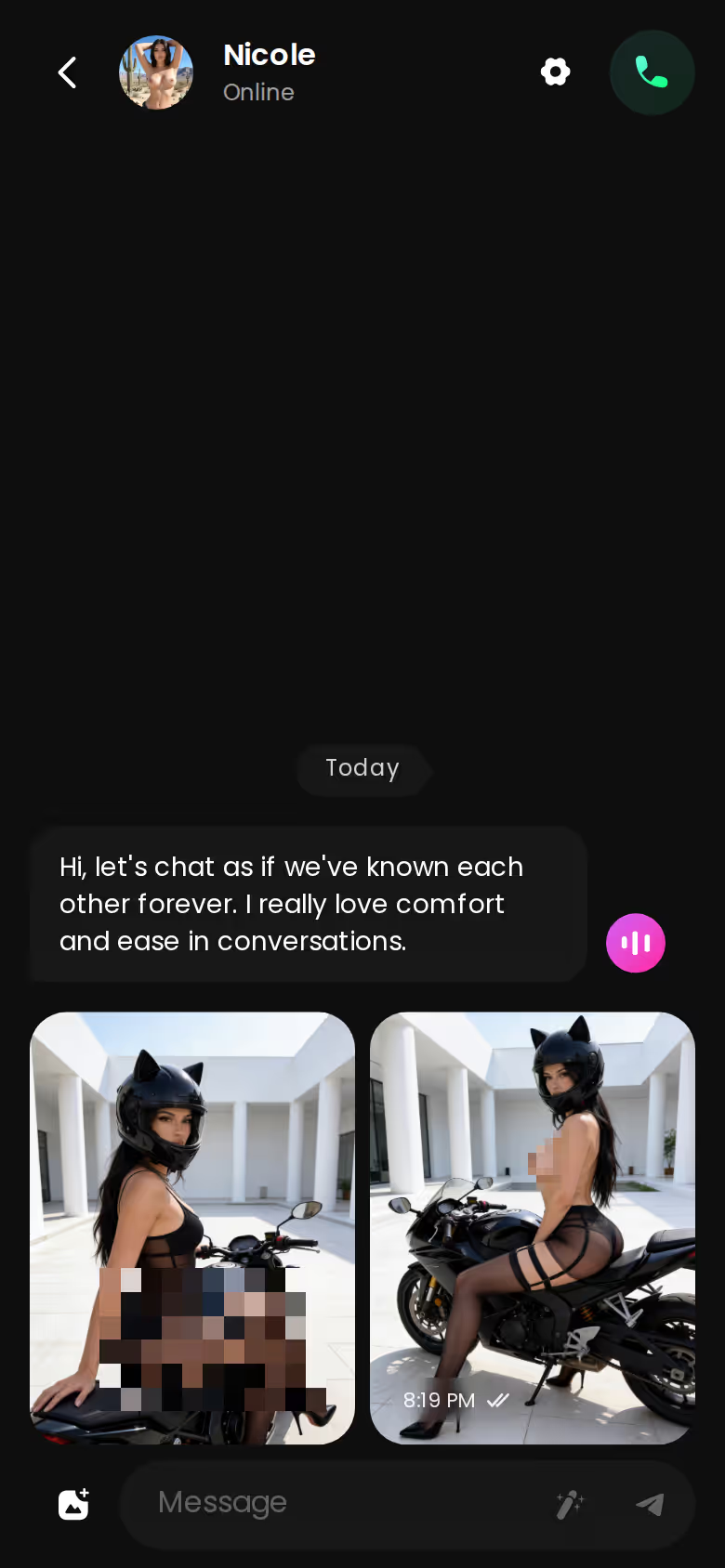
Every element on this screen needs a connection.
 7 episodes
 5 episodes
 5 episodes
 5 episodes
 5 episodes
 7 episodes
 6 episodes
 9 episodes










That screenshot is GoLove's mobile thread, with messages, a photo and the voice-note button all in one loop. If that loop is what you hoped a download would give you, skip the model files for now. The fastest check is to look at who's actually on there, and it takes no installs and no setup.
An Evening on GoLove's Phone Chat Loop
Open GoLove on your phone and five tabs run along the bottom: Explore, Chat, Create, Generate, Feed. Tap a profile in Explore and the chat opens straight from there, with no detour through menus.
Before typing much, it's worth opening Chat Settings. This is the "make it mine" layer people expect a downloaded app to have, and it comes down to three controls:
- a voice picker, for how she sounds
- lust level, from 1 (sweet) to 5 (unfiltered)
- response length, from 1 (short and snappy) to 5 (rich and immersive)
Say you keep her flirty and the replies mid-length. A few messages in, you ask for a photo, and it arrives inside the thread rather than in some separate gallery screen. If you want it to move, Generate Video from Photo turns it into a clip. There's also the Select Action modal, where you pick a Video Actions preset. Either way, you never leave the conversation.
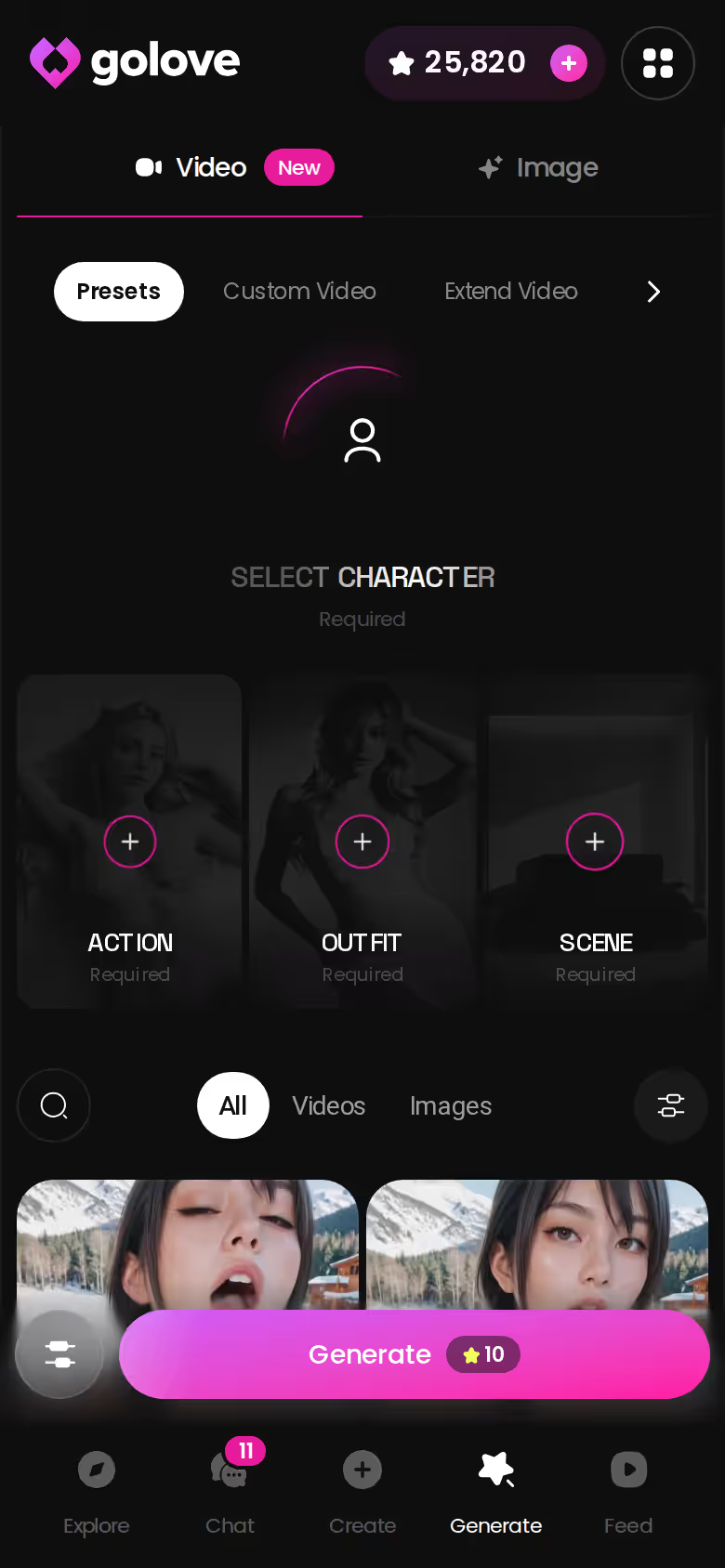
The Generate tab is the same generator, sitting in your pocket. It has Video and Image tabs, an avatar swap top-right to change character, and a Presets dropdown.
Characters you can open right now
Tap any of them and the chat starts there






Isn't that just the in-chat feature again? Mostly, yes. The tab is for when you want to build something deliberately instead of asking for it mid-flirt.
Memory Is What Makes Her Feel Like Yours
People type "download" because they want ownership. Not a file, though. They want a girl who's still theirs tomorrow and picks up where they left off, and that kind of continuity comes from memory, not storage.
GoLove's Memory keeps your history, and Relationship Progression moves the dynamic forward instead of resetting it every session. Then there's the per-character Gallery, which collects the photos she's sent, sorted by date. All of it is synced to your account, so moving from your phone to a desktop gets you the same girl and the same thread.
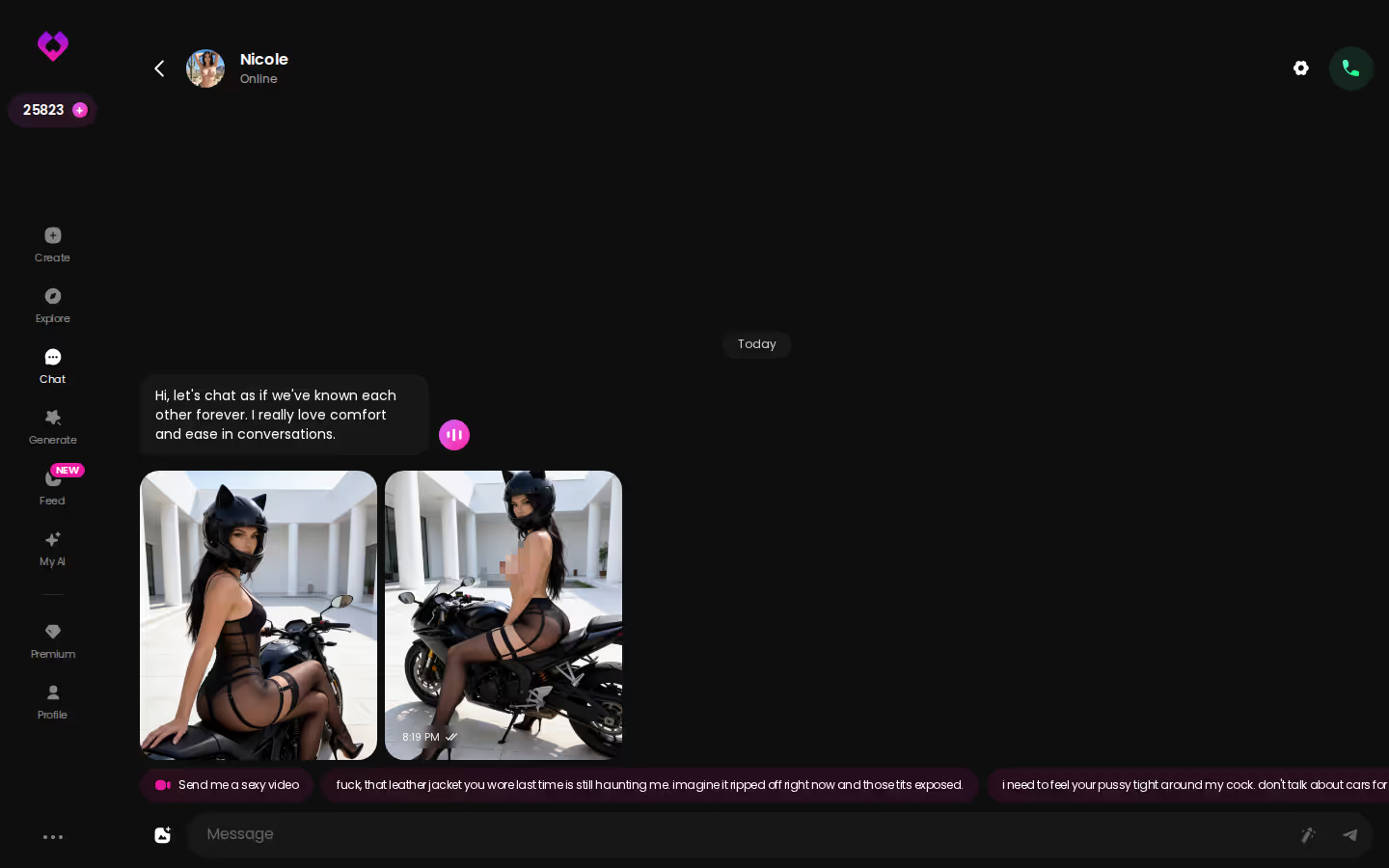
The desktop screenshot shows why this matters. It's a long, playful thread with photos stacked inline (the kind of history you'd want waiting on whichever screen you pick up next).
| What you get | GoLove.ai |
|---|---|
| Voice | Live calls and voice messages |
| Memory | Remembers your chat history |
| Photos in chat | On request |
| Image generator | 35 realistic poses & 21 outfits |
| Daily reward stars | 2 every day |
> The download was never the point — the girl who remembers last Tuesday is.
A local model can remember too, but only on that one device. Open your laptop and she's a stranger unless you copy the files and sync them yourself. Doable? Sure. It's still not what most people mean by an AI girlfriend that remembers you.
A Local Model, OurDream or GoLove: Who Wins What
Run it locally
- Wins: private, works with no connection, no subscription
- Loses: hardware-heavy, setup effort, mostly text
Connected companion (GoLove)
ASK HER FOR PHOTOS
She sends them right there in the chat.

- Wins: live voice, photos and video in chat, synced memory
- Loses: needs a connection, paid tiers for heavy use
What GoLove.ai gives you:
- Live voice calls and voice messages
- She remembers your chat history
- Photos on request in the chat
- Image generator with 35 realistic poses and 21 outfits
- 2 reward stars every day you log in
OurDream is the other name worth weighing, and it deserves a fair hearing. It bundles chat, image generation and video generation in one subscription, which is genuinely good if most of your time is spent on a laptop.
As of September 2026, OurDream runs from about $19.99/month, or about $9.99/month on an annual plan ($119.88/year). Images, voice and video draw on a separate DreamCoins balance, so the subscription isn't the whole cost. It's also web-only, with no native mobile app.
For this search, that last point is the one that counts. If you typed "downloadable" because your phone is where this happens, a browser tab is not it.
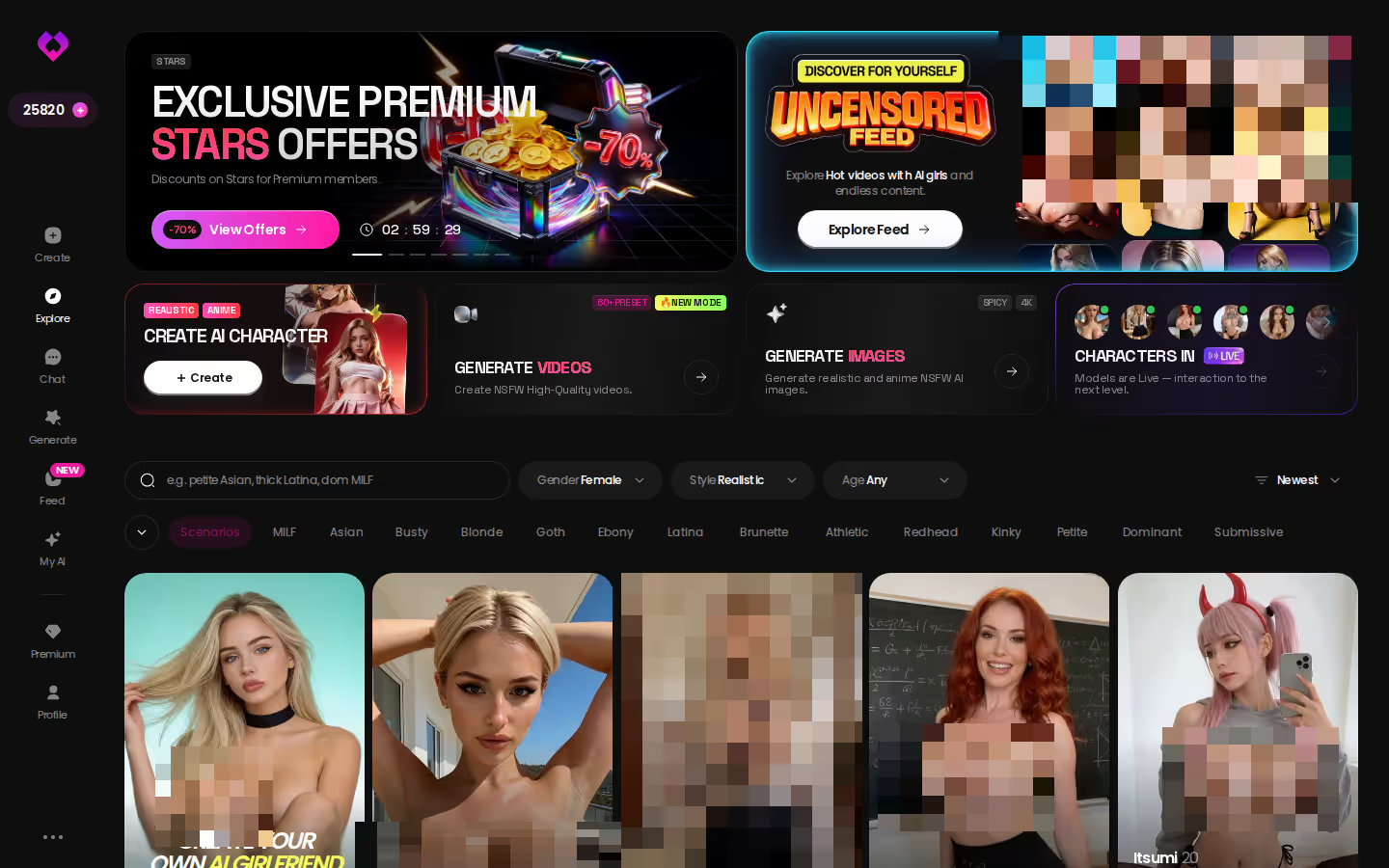
GoLove's Explore grid covers the browsing side on desktop. The bigger difference is on mobile: Feed and Generate are first-class tabs, and photos and video live inside the chat itself.

GoLove.ai's Free Tier and Pricing: Where the Limits Are
The obvious caveat comes first. GoLove is a cloud companion, so it doesn't work offline, and neither does any other connected app. Lose signal on a flight and the chat simply waits.
The verified facts on the free side are short:
- 2 free reward Stars per day
- A limited number of new Feed videos per day, after which the "Unlock Unlimited Feed" paywall appears
- PRO unlocks an unlimited Feed plus Feed filters
Beyond that, check the current plans in the app. I'd rather not guess what a free account covers or what a call or a photo costs in Stars.
Pricing breakdown (checked July 2026, all approximate):
- PRO monthly: about $19.99/month
- PRO annual: about $119.88/year, roughly $9.99/month
- Star packs: about $9.99 up to about $179.99
Prices vary by region, as low as about $12.99/month in some places. They also vary by promo, and -50% and -70% banners have both shown up. The price you see may differ from these.
Is about $19.99 a month a lot for a chatbot? It's the same starting figure OurDream lists. If you already know you're staying, the annual plan is the money option; if you're unsure, monthly is the cheaper way to find out.
and watch their story unfold.View Character
What I'd Do Before Downloading Anything
- [ ] Privacy above everything, and a capable PC? A local model is the honest answer. Accept text-first.
- [ ] Chatting mostly on flights or in dead zones? Same answer.
- [ ] Want her voice on a live call, photos on request, or video? You need a connection.
- [ ] Want memory that follows you from phone to desktop? You need a connection again.
- [ ] Still unsure? Browse before you commit to either.
For most people who land on this search, my pick is GoLove.ai. In-chat photos, memory, voice and video all sit in one mobile loop, and that loop is what the word "download" was standing in for.
The closest thing to actually owning her is the Create wizard. You choose Realistic, Anime or Trans, or you pick Design with AI, describe a concept in plain text, and the AI builds the character from it.
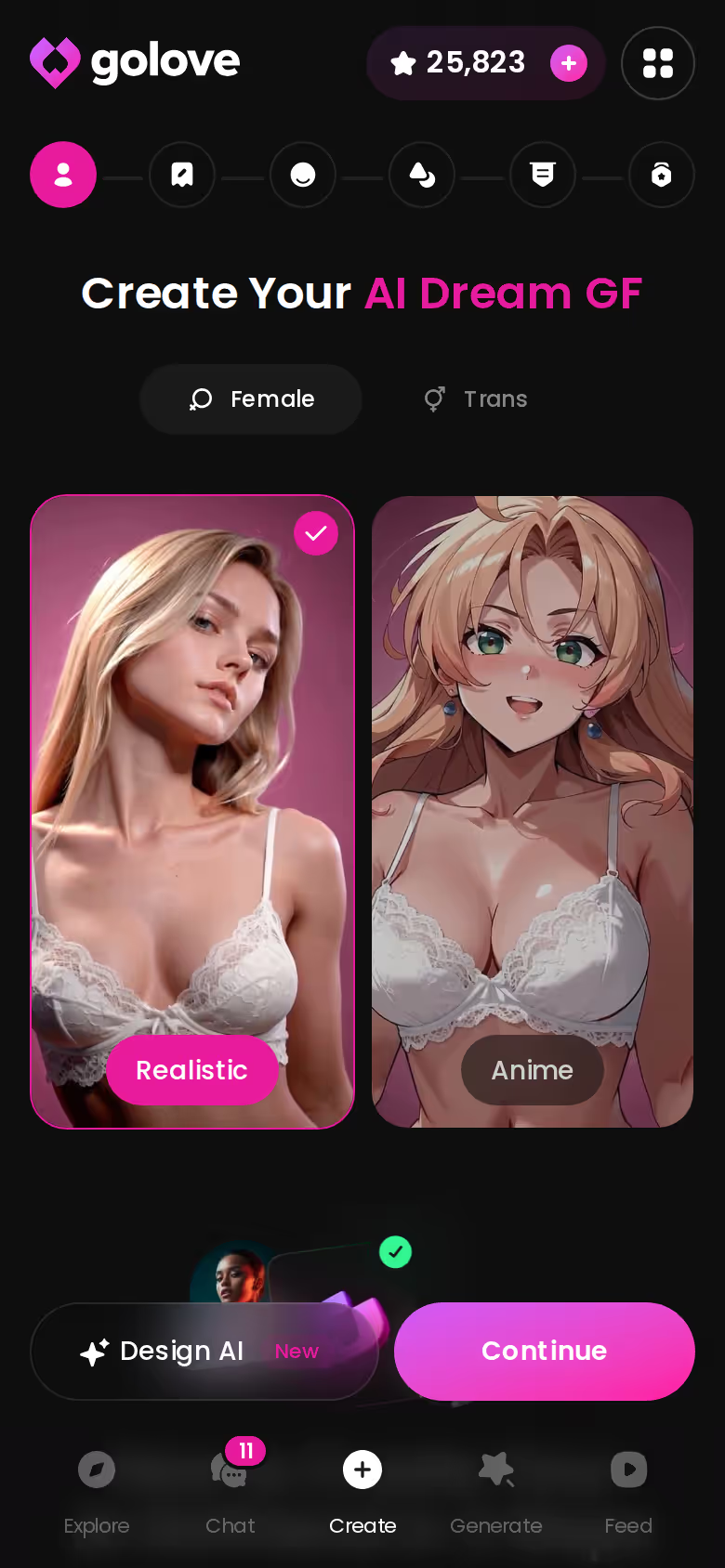
If ownership is what you were after, don't pick her off a shelf. Describe her yourself, because that's the one version nobody else downloaded.
See also: AI Yiff, Naked Girl Chat and Omorashi AI.
Frequently Asked Questions
Related Articles

Chai AI Companion Alternatives: 6 Picks Compared
Chai AI companion alternatives compared: GoLove.ai wins on in-chat photos and video — SpicyChat and Character.AI win on price. Compare six apps.

AI Girlfriend App Pricing Compared: Plans, Coins, Stars
AI girlfriend app pricing compared: OurDream and GoLove.ai both list about $19.99/month. GoLove.ai wins on in-chat photo requests. Compare the plans.

Naked Girl Chat: What Actually Works in 2026
Naked girl chat, honestly reviewed — GoLove.ai wins because she sends realistic photos right inside the thread — and remembers you. See the girls.

Omorashi AI: What Actually Works in 2026
Omorashi AI roleplay, compared — GoLove.ai wins on memory that keeps a desperation scene building across chats. Chat opens straight from Explore — see it.