
AI Video Call: Which App Actually Delivers?
AI Video Call Apps: The Scorecard
Type 'AI video call' into Google and half the apps on page one can't do it. They put a face on a loading screen and call that a call. Real-time, two-way AI video — a face that reacts to your voice while you're still speaking — isn't solved anywhere in this category. What you get is an animated avatar looping over a text engine, with enough lag to kill the illusion inside the first minute.
So I quit scoring apps on the thing none of them do. Instead I scored the rows that make a call feel like a call: does the voice remember you, how fast can you get a photo mid-conversation, can that photo move, and what does it cost.
| Row | GoLove.ai | Typical "AI video call" app |
|---|---|---|
| Voice continuity | Live voice calls + voice messages, same memory as chat | Voice often resets per session |
| Photo request speed | In-chat request, image returned in the thread | Separate gallery, no live request |
| Video generation | Photo-to-video in chat, 76 realistic modes | Rare, or avatar animation only |
| Memory across sessions | Yes — history carries over | Frequently resets |
| Price | About $19.99/mo (checked 2026-07-19, varies by region/promo) | $10–$30/mo, similar range |
The price row is a wash. The memory and photo rows are not — and you can test both without an account, because GoLove drops you straight into a conversation with no signup wall. That's the reason to click now instead of reading another roundup.
Why voice beats a laggy video feed
"But I want to see a face." Fair enough. Here's the objection to your objection: a face that stutters half a second behind the audio is worse than no face at all, because your brain flags it as broken. A voice that answers in real time and sounds like the same person as yesterday never trips that alarm.

 Watch Popular Shows starring your
 favorite AI characters.
GoLove's Voice Calls are live. You pick the voice in Chat Settings, so it stays consistent rather than rolling a new one each time you open the app.
Memory carries into every session
Most reviews never test this row. On GoLove, the memory running the text chat is the same memory behind the call:
- Memory — conversation history persists; you're not reintroducing yourself.
- Relationship Progression — the tone shifts as the history builds, so a call in week three doesn't sound like a cold open.
- Voice Messages — async replies for when you don't want a full call.
No signup wall before you talk
Explore puts you in a chat instantly — no email, no card. You find out whether the voice is passable for you before you've spent anything.
Asking for a photo mid-chat
The visual half of a "call" on GoLove isn't a stream. It's a request. Mid-conversation you ask for a photo, and the image lands in the same thread, matched to the character you're already talking to — no tab switch, no gallery hunt. That's the Request Photos in Chat feature, and it's the closest thing to "show me" that works today without lag.
Turning a still into motion
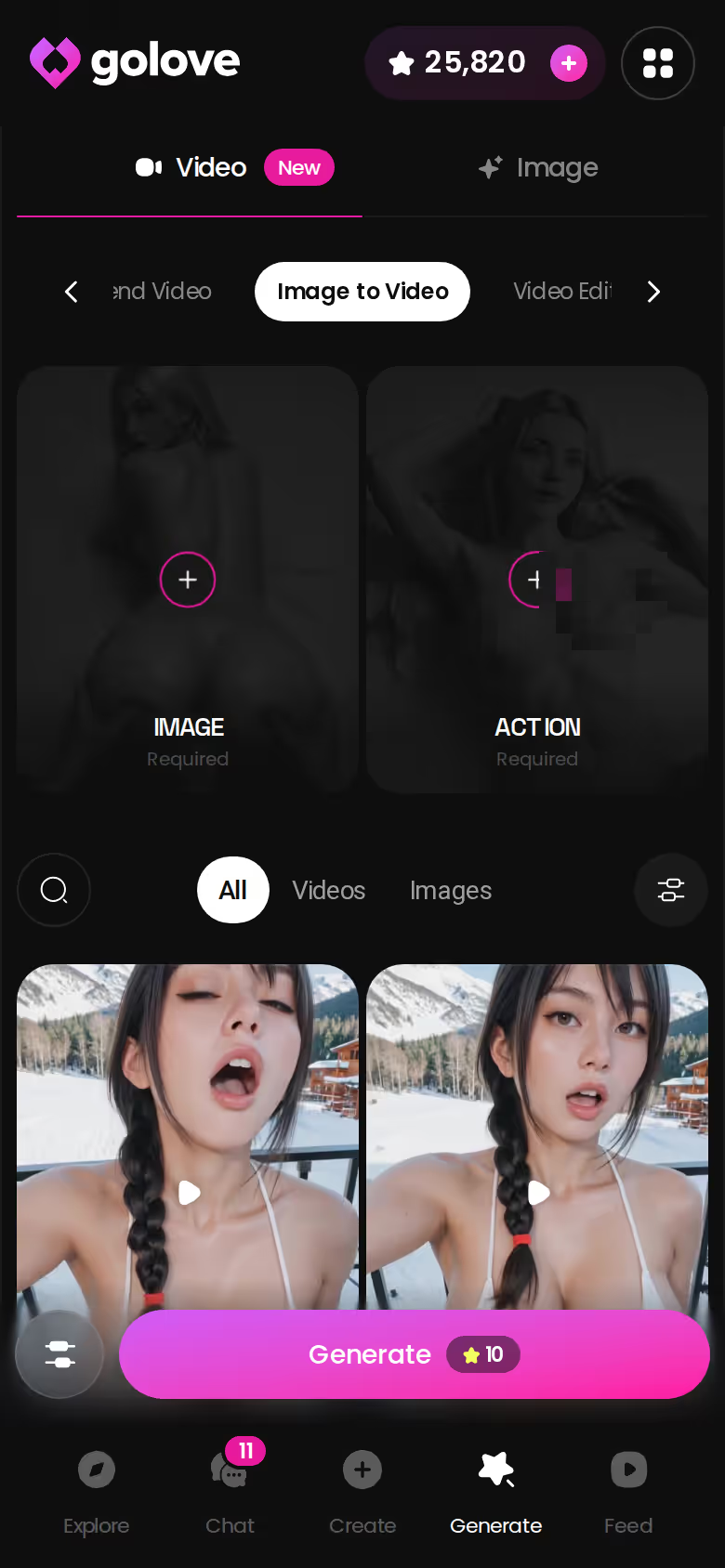
Got a still you like? Generate Video from Photo turns it into a short clip, right from chat. On mobile it's a tap on the image, then a Select Action modal.
Where this beats a real video stream
A live stream shows you whatever the model manages to render in that instant. A requested photo gives you exactly what you asked for, and the clip inherits it. Slower than a webcam, sure — but it doesn't glitch, and it's the same face every time.
A GoLove Session, Start to Finish
Here's what a session looks like, using only what the product verifiably does.
You open Explore. No signup wall — you're in a chat with a character within seconds. I'll use Sophie (@sophiett), the photographer whose opener is "Do you like curly girls?" Chat comes first: set the lust level (5 steps, sweet to unfiltered) and response length (5 steps, snappy to immersive) in Chat Settings, then pick her voice.
 7 episodes
 5 episodes
 5 episodes
 5 episodes
 5 episodes
 7 episodes
 6 episodes
 9 episodes










After that you call her. Voice Calls are live, and because Memory is shared with the chat, she picks up on what you just typed. When you want to see her, you ask in the thread — Request Photos in Chat — and the image comes back inside the conversation.
Characters you can open right now
Tap any of them and the chat starts there






One more tap from there: Generate Video from Photo. The still becomes a clip.
Every step above runs on a character GoLove already made. The reason to build your own right now: the exact same voice, memory, photo request and photo-to-video flow works on a custom character from /create — Realistic, Anime, Trans, or Design with AI from a text description — and the memory starts accumulating from the first message.
Preset cards vs custom prompts
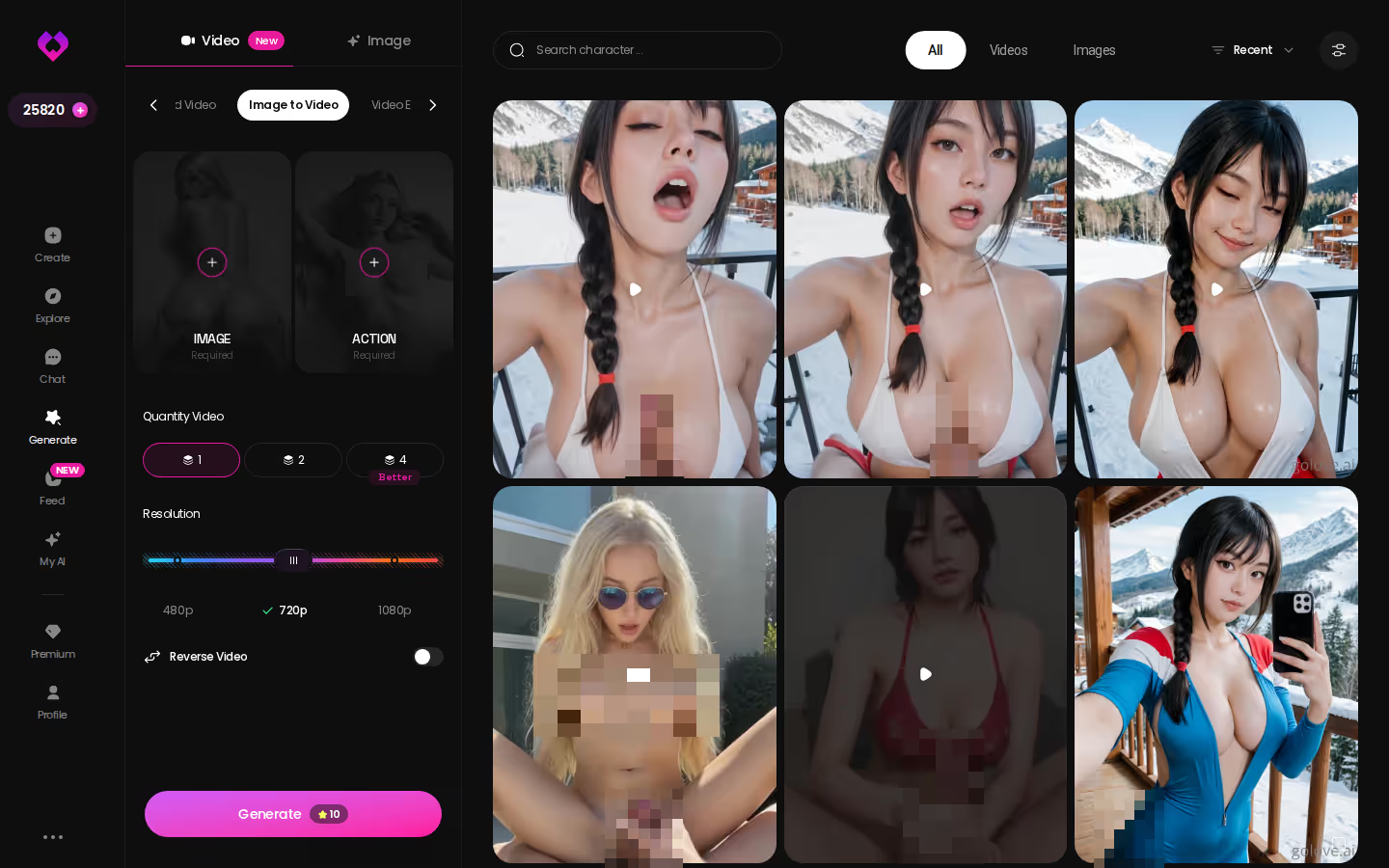
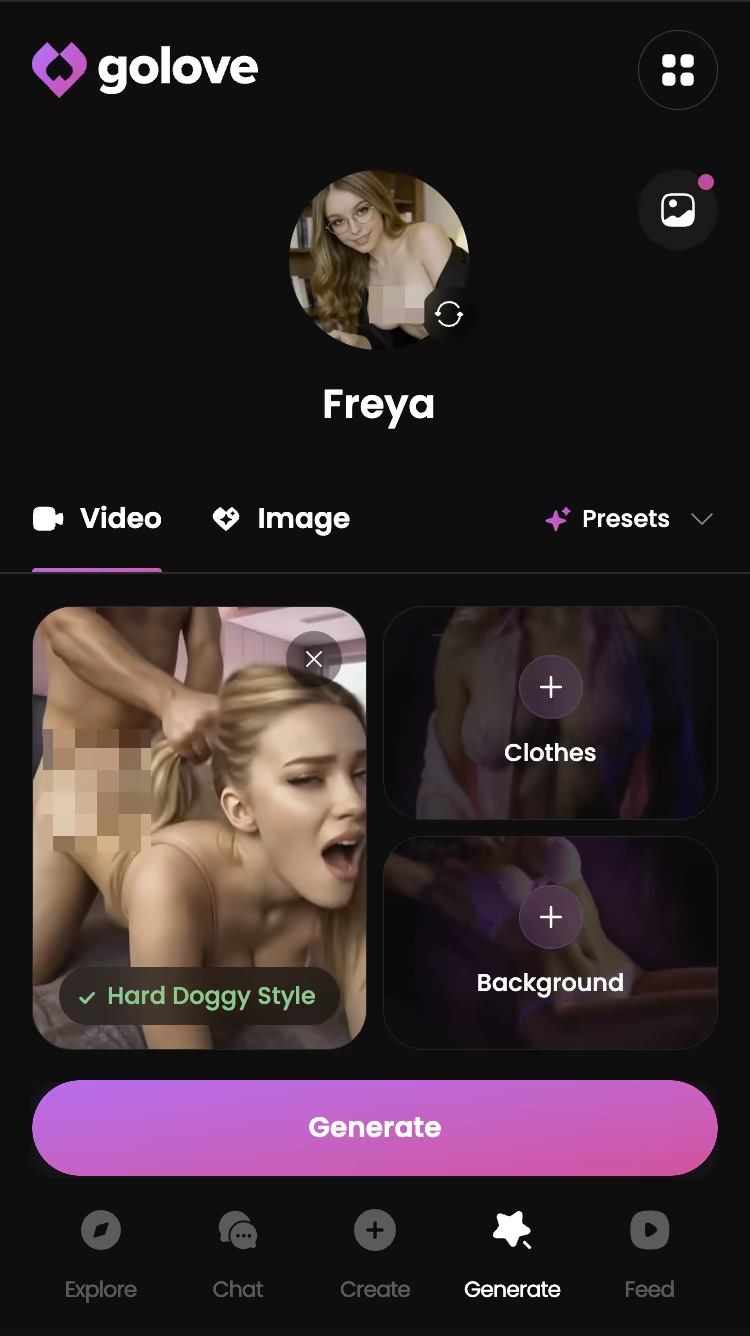
The Generate page has Video and Image tabs, and the generator is per-character — swap the avatar top-right to any GoLove character or your own custom. Two ways to make a video:
- Presets — pick an action card ('Twerk', 'Hard Doggy Style', 'Instant Undress' — 76 realistic modes, 147 total across anime and trans), add Clothes and Background, tap Generate. Fast, predictable, no writing.
- Custom — write the prompt yourself. Slower to get right, but it's the only way to get a scene the cards don't cover.
New here? Presets are money. Custom is for when you already know exactly what you want.
Resolution and length you control
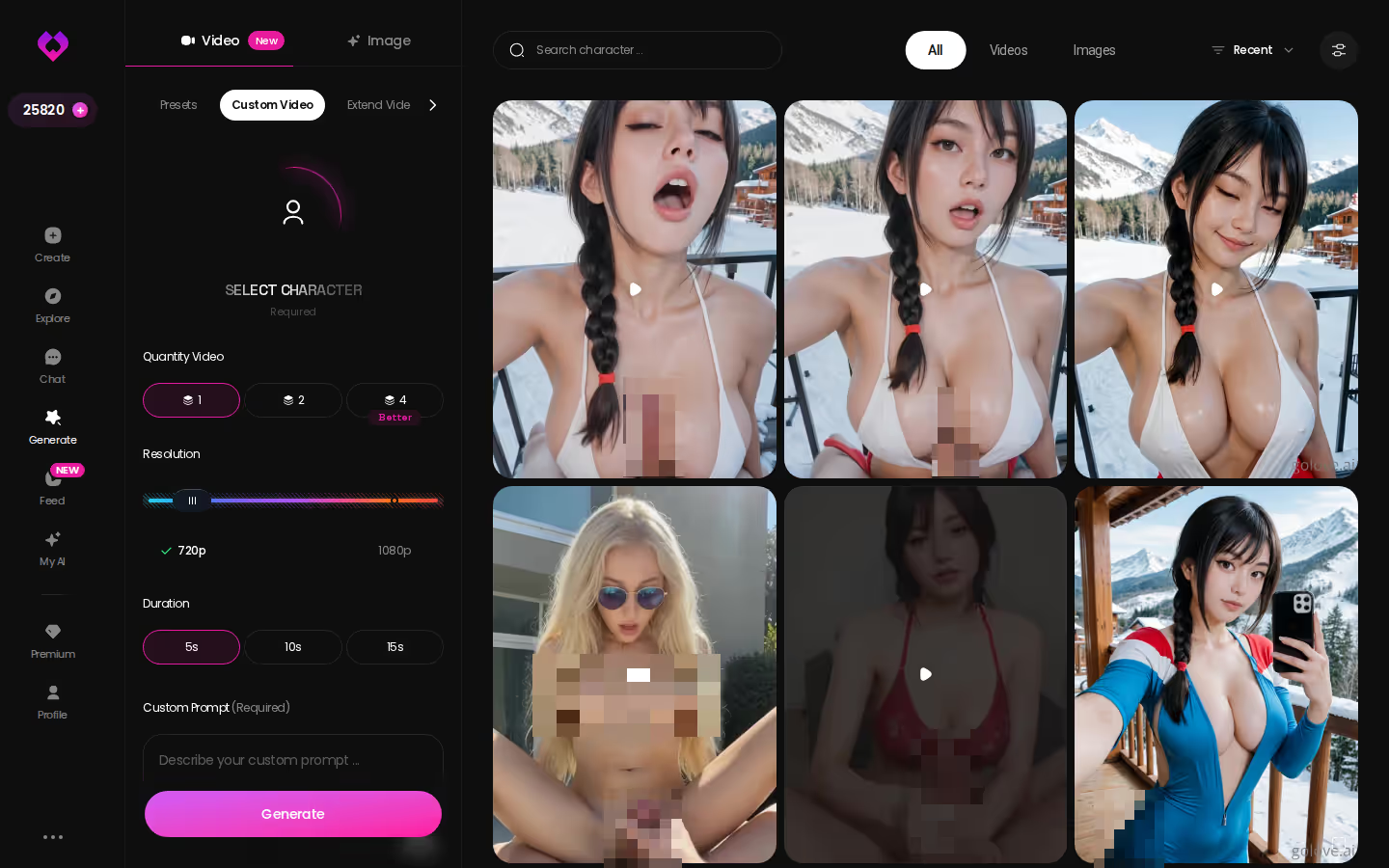
The custom tab exposes what presets hide: 720p or 1080p, and a clip length anywhere from 5 to 15 seconds. Shorter clips finish faster. 1080p costs more Stars, and the per-video cost varies, so keep an eye on the header balance (it's easy to burn through more than you planned on one scene).
Extending or editing a clip
Nobody covers this row: when a clip is genuinely good but too short, you extend it from the existing video instead of regenerating and hoping the character lands the same way twice. Same seed of a scene, more of it.
ASK HER FOR PHOTOS
She sends them right there in the chat.


The Trade-Off You're Making With GoLove.ai
Here's the honest bit. GoLove does not offer a literal live, webcam-style video call. There is no face rendering in real time while you speak. What you get is live voice, plus photos and clips you request, all tied to one memory that builds over time.
So who should skip it? If a moving face during the call is non-negotiable, GoLove is not it — and neither is anyone else yet; you'd be paying for a laggy avatar. If you want a fully free, unlimited app, the 2 daily Stars and the free tier won't carry you; PRO or Star packs (about $9.99 to $179.99, checked 2026-07-19, varies by region) are where the real use lives. And if you're after a human relationship, no app fixes that.
For everyone else, continuity beats a broken stream. A voice that remembers you plus a photo you asked for is a real call experience. A stuttering avatar is a demo.
Scrolling a feed built for this
The Feed is a vertical, one-clip-at-a-time scroll of GoLove characters — swipe on mobile, arrow keys on desktop. Explore and Liked tabs. Free accounts get a limited number of new clips per day; PRO unlocks unlimited plus filters (Realistic/Anime, gender, age).
Remixing one clip instead of starting over
What makes the feed useful rather than passive:
- Remix — the magic wand opens Generate preloaded with that clip's character and the exact settings that produced it. Tweak one thing, regenerate.
- Swap — keep the settings, drop in your own custom character.
- Chat — open the character's profile from the clip, jump into chat, voice-call her, request private photos. Same character, no re-finding.
When extending beats regenerating
If a remix lands, don't roll the dice again. Extend it.
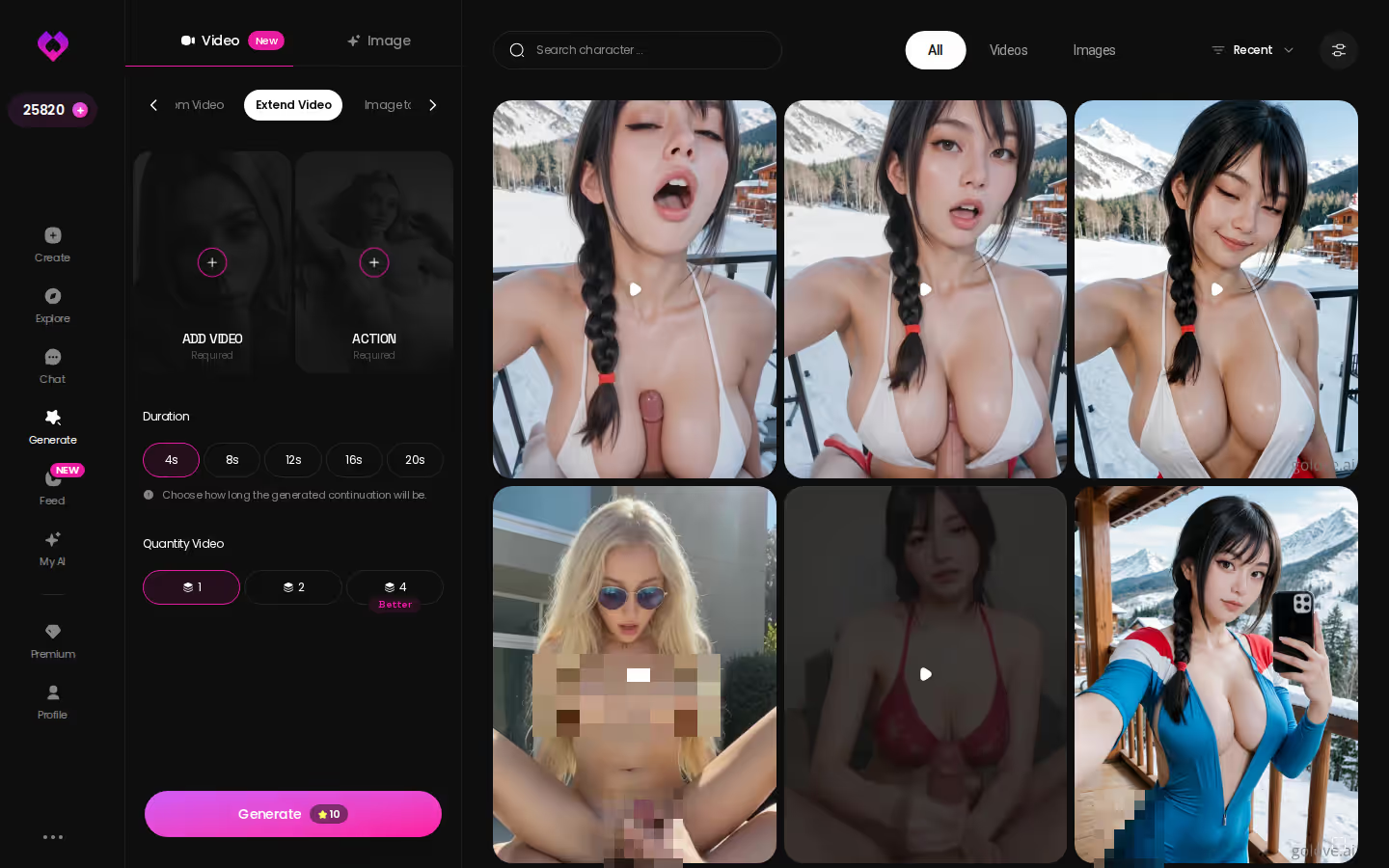
Regenerating gives you a new attempt. Extending gives you more of the one that worked.
and watch their story unfold.View Character
Back to the Scorecard: Who Actually Wins
Re-read the table with the fake row removed. Nobody delivers real-time two-way AI video without lag — so "live video" is a marketing promise, not a feature you can score. The rows that survive are the ones that decide whether a call feels real.
Voice continuity: GoLove's live calls run on the same memory as chat, with a voice you choose once and keep. Most competitors reset.
Request speed: photo asked for in the thread, delivered in the thread, then turned into a clip with one more tap. Most apps make you leave the conversation to get a visual at all.
Video generation: 76 realistic modes plus custom prompts, remix from the feed, extend what works. Rare elsewhere, and usually avatar animation when it exists.
Memory: carries across sessions. This is the row that quietly kills the "call" illusion everywhere else.
Price is roughly even — about $19.99/mo, or about $119.88/yr (checked 2026-07-19, varies by region and promo). So the decision comes down to the other four rows, and GoLove wins them.
For "ai video call" searchers, GoLove is the pick: it delivers the pieces that make a call feel real instead of promising a stream it can't run. You can hear the voice before you sign up for anything.
The short version: GoLove.ai covers the essentials in one place — live voice calls, memory across chats, and in-chat photos (35 poses, 21 outfits) — and the 2 daily reward stars mean you can test it before spending anything.
| What you get | GoLove.ai |
|---|---|
| Real-time voice calls | Yes — per-character voices |
| Memory across chats | Yes — remembers your details |
| In-chat image generation | Yes — 35 poses & 21 outfits |
| Daily reward stars | 2 every day |
Frequently Asked Questions
Related Articles

Big Ass AI Porn: Which App Actually Delivers?
Big ass AI porn: most tools give one static pic. GoLove.ai renders custom curvy characters — photos, video, and memory — no email needed. See GoLove.

AI Facesitting: Which App Actually Delivers?
AI facesitting roleplay works best on GoLove.ai — in-chat photos, preset videos and memory of your dynamic. Compare rivals, then start with no email needed.

BBW Chan AI: Which App Actually Delivers in 2026?
BBW chan AI means dead boards or text-only bots — GoLove.ai wins with curvy realistic characters, in-chat photos and voice. Start chatting, no email needed.

AI Girlfriend App Pricing Compared: Plans, Coins, Stars
AI girlfriend app pricing compared: OurDream and GoLove.ai both list about $19.99/month. GoLove.ai wins on in-chat photo requests. Compare the plans.